


Plan includes
- Shared Calendar
- Shopping Lists
- To Do Lists
- Messenger
- Contact Book
- Recipe Box
Share the mental load with the app trusted by 14 million families worldwide.
4.8★ from 250K+ reviews·20M downloads
 Tue, May 3 · 05:00 PM


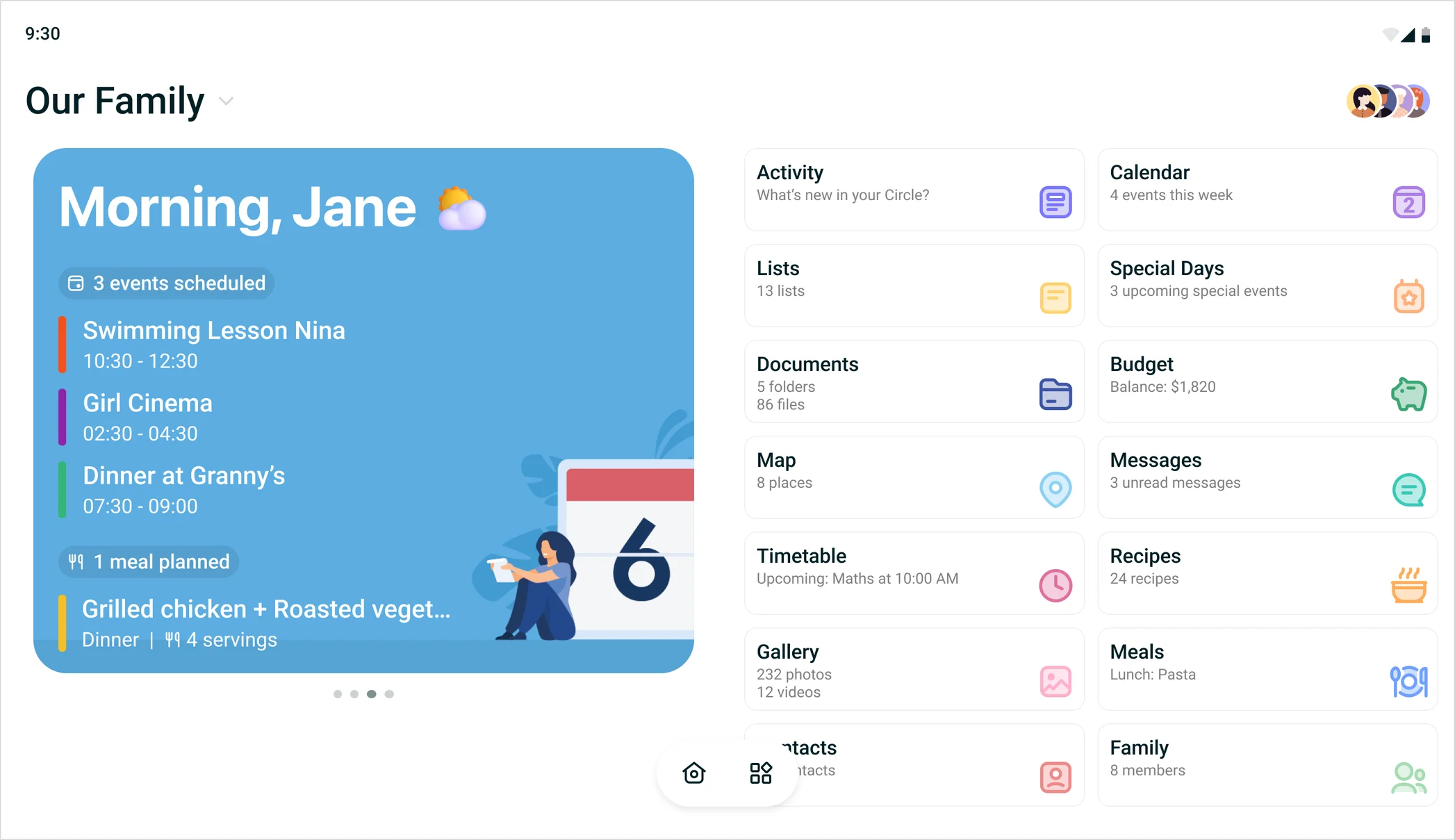

Everyone's schedule in one color-coded view, synced with the calendars you already use.


Shared lists, shared jobs. No more "I didn't know it was my turn."
 Every Sunday

 Every Tuesday


Plan the week's meals and send missing ingredients to the shopping list.

Share photos and videos in private family albums, so everyone can relive the best moments.


 3


From school forms to kitchen plans, save family files in the app and pull them up on any device.


From Uncle Jack’s birthday to the school play, no more last-minute scrambles.


Private groups for grandparents, the carpool, or the neighbors.


One busy Tuesday, handled in FamilyWall.
Mom updates the FamilyWall calendar from her phone.
After school, the kids spot the update on the Home Hub.
They check off their get-ready list: sports bags, sneakers, water bottles.
Dressed and out the door, right on time.
The whole family’s on the same page, even when something changes.
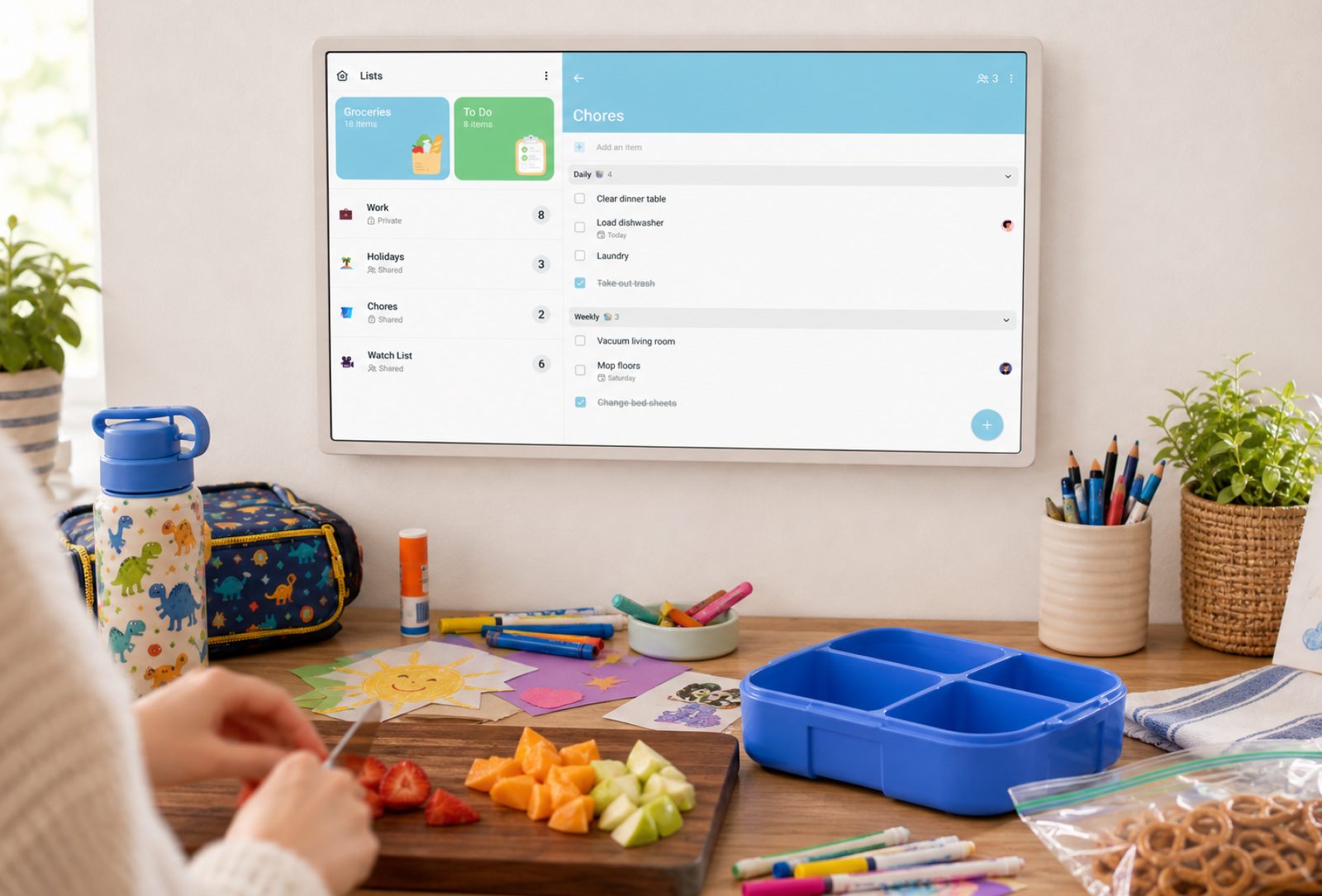
FamilyWall goes where you go. Home Hub keeps everyone’s calendar, lists, and meals on display at home, so the whole family can see what’s next.
Home Hub is currently available in the US only.

FamilyWall goes where you go. Home Hub keeps everyone’s calendar, lists, and meals on display at home, so the whole family can see what’s next.
Home Hub is currently available in the US only.
Meet Home HubFamilyWall goes where you go. Home Hub keeps everyone’s calendar, lists, and meals on display at home, so the whole family can see what’s next.
Home Hub is currently available in the US only.
In the kitchenChores and lists while you cook. On the counterToday’s plan where everyone gathers.In the hallwayEveryone’s day on the way out.


Trusted by millions of families·4.8★ from 250K+ reviews·20M downloads

“Amazing app! FamilyWall has made a huge difference for our family and has helped us stay organised and connected.”

“I can NOT live, function, or breathe without this app... Life is hard enough without having to track everyone's details in my head.”

“Really enjoy this app, use it every day for everything and it helped to replace the copious lists i had laying around everywhere.”

“The meal planner was our gateway feature. We finally stopped eating takeout out of decision fatigue.”

“This app probably saved my marriage. No more 'I told you about this last week' – if it's not on FamilyWall, it doesn't exist.”

“Our nanny and grandparents use it to track schedule drops. Everyone is on the exact same page at last.”
Plan includes
Everything in Standard, plus
Yes! FamilyWall is free for the whole family, including the core features that keep families moving: a shared calendar, lists, messenger, and photo sharing. Premium adds more features for $7.99/month, or $44.99/year (just $3.75/month).
Premium adds a meal planner, a budget tracker, family locator and place alerts, Google and Outlook calendar sync, and an ad-free experience to make family coordination even easier.
Yes! Premium comes with a 30-day free trial, and you can cancel anytime. The free features stay free, with no trial needed.
Nope, one Premium subscription unlocks Premium for everyone in your family group. No one else has to pay!
FamilyWall works for everybody; it’s on iPhone, Android, and any web browser. Everything syncs across devices in real time.
Absolutely. Invite anyone to your family group or to a separate circle, from grandparents to a nanny or co-parent, and they’ll see just what you share with that circle.
Definitely. With FamilyWall Premium, your Google Calendar and Outlook.com events sync with your family calendar so you can keep track of work, personal, and family schedules together.
You sure can, with Premium. Forward an event email, like a school newsletter or booking confirmation, to your family’s FamilyWall address, and the events land on your shared calendar with no extra effort.
Yes, your information is private! Only the people you invite to your family group can see what you share there.
Join the millions who share one calendar and one plan with FamilyWall.